
SpinDog Mobile Play: Browser Use, App Caveats and UK Checks
 Available in GB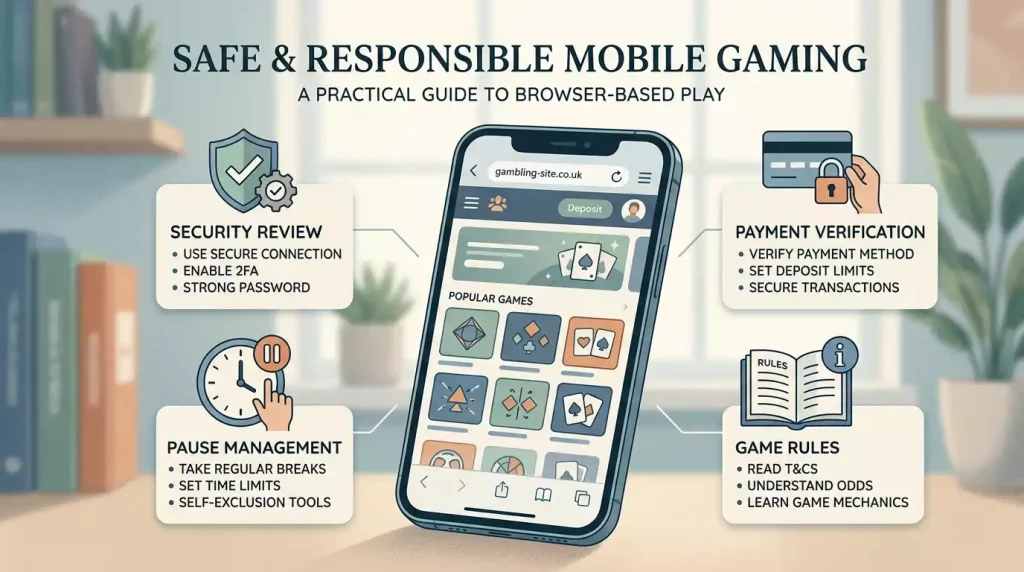
SpinDog’s FAQ supports mobile play through the website: it says the games are mobile-friendly and can be launched by opening spindog.com on a mobile device. That is a mobile-browser fact, not proof of a native iOS app, Android app, app-store listing or downloadable APK. The practical question is whether browser play is suitable after the account, payment, bonus, device and safer-gambling checks.
For a UK reader, the bigger question is not only whether the site fits a phone screen. It is whether account security, local status, payment availability, bonus terms, verification and safer-gambling controls are clear before mobile access makes gambling easier to start and harder to pause.The verified mobile answer
The verified answer is narrow: SpinDog says its games are mobile-friendly through the website. That supports a browser experience on a phone or tablet. It does not support a public claim that SpinDog has a native app, a verified iOS download, a verified Android download or a separate app account path.
That distinction matters because app search results can be messy. A third-party advert, app-store lookalike, APK page or review-site statement should not be treated as an official source. If the brand has not clearly verified a native app in official material, the safer editorial wording is simply mobile browser play.
For the wider context, start with the main SpinDog guide. It explains why UK readers should keep availability, licensing, payments and promotional eligibility separate from general brand claims.
Browser play versus a native app
| Question | What can be said here | What should not be claimed |
|---|---|---|
| Can SpinDog be used on mobile? | The FAQ says games are mobile-friendly through spindog.com. | Do not turn that into guaranteed UK access or guaranteed device support. |
| Is there an iOS app? | No native iOS app was verified from SpinDog information checked here. | Do not publish app-store instructions without an official source. |
| Is there an Android app? | No native Android app was verified from SpinDog information checked here. | Do not recommend APK downloads or third-party install files. |
| Are games the same on mobile? | Use the game lobby and individual game pages as the current source. | Do not assume every desktop category, provider or title is available to every mobile user. |
Security checks before mobile play
A phone is often less controlled than a desktop session. It may use saved passwords, shared devices, public Wi-Fi, face unlock or notifications that another person can see. SpinDog’s privacy policy says players may set up 2FA as additional account protection, so a reader who uses the site after the wider checks should treat 2FA as a practical account-security step.
Mobile security is also about payment and identity. The registration and login checks explain why the account name, documents and payment route should match from the start. Do not use a phone login to create a rushed account with details that cannot be verified later.
If you are using a shared device, a work phone, a borrowed phone or a phone that another person can unlock, do not store account access on it. The risk is not only privacy. Account access can also affect deposits, withdrawals, responsible-gambling controls and disputes.
Mobile payments need the same checks as desktop payments
Mobile deposits can feel instant because the payment screen is always nearby. That should not change the checks. SpinDog payment terms and FAQ material need to be read beside country-specific method availability, payment ownership, minimums, withdrawal checks and the Great Britain credit-card caveat covered in the payment checks.
The practical rule is to decide before tapping. Check whether the method is in your own name, whether a bonus will lock the balance, whether KYC may be needed before payout, and whether the payment route still makes sense if the first game session loses. A successful mobile deposit is not proof of local authorisation, payout certainty or long-term affordability.
Mobile games and small-screen limits
The SpinDog lobby shows categories such as slots, table games, live casino and jackpots, but exact availability should be checked at the current game page. On mobile, a title can look available while details such as provider, rules, RTP information, bonus contribution, jurisdiction restrictions or live-dealer requirements need a separate tap.
The games on mobile guide explains category-level caveats. For mobile use, the key point is slower reading. Do not open a game because the tile loads. Open the game information, check whether the provider and rules are visible, and make sure bonus terms are understood before staking.
Always-available access can raise harm risk
Mobile gambling removes friction. That can be convenient, but it can also make loss-chasing, hidden sessions and repeated deposits easier. GAMSTOP is a free self-exclusion service for online gambling accounts on websites and apps, and UK safer-gambling advice also points to blocking software, bank gambling blocks and other control layers.
Mobile browser access is not a workaround. If you have self-excluded, blocked gambling payments, installed blocking software, asked someone to help control access or felt unable to stop, mobile access is a risk signal. The safer step is to maintain the block and seek support, not to look for another device, browser, account or payment route.
The safety and licence caveats explain why mobile access should sit inside a wider risk review.
Pre-mobile checklist
- Use browser wording unless an official native app source is verified.
- Do not download third-party APK files or unofficial app-store lookalikes.
- Check local status and UKGC caveats before treating access as protected local play.
- Turn on stronger account protection where available, including 2FA.
- Use only your own account and your own payment method.
- Check whether a bonus affects the balance before depositing from a phone.
- Read game information on the current mobile page before staking.
- Stop if mobile access is being used to bypass self-exclusion, bank blocks or limits.
Frequently asked questions
Does SpinDog work on mobile?
SpinDog’s FAQ says its games are mobile-friendly through spindog.com. Access can still vary by reader, device, account and local context.Does SpinDog have an iOS or Android app?
A native iOS or Android app should not be assumed unless SpinDog confirms it through an official app source. Mobile use should be treated as browser-based until then.Is mobile play safer if 2FA is available?
2FA can add account protection, and SpinDog’s privacy policy refers to 2FA as an option. It does not solve local status, payment, KYC, bonus or gambling-control questions.Should someone on GAMSTOP use mobile browser access?
No. If self-exclusion or blocking tools are relevant, keep the protection in place and seek gambling support rather than looking for another mobile route.
The full picture is in the SpinDog Casino UK review.
Opening an account starts with account setup.
Prepared by the SpinDog UK Guide editorial staff.